Why my image is not hydrating correctly when Svelte initializes
Preface
I am writing a Shopify theme using
I have added support for the img tag so it is not a input output case for svelte side. Normally how I handle liquid filter conterpart on svelte side is like this. Let's say there is a image_url filter
<img src="{{- somevalue | image_url: width: 300 -}}" >liquivelte converts it to
<img src="{ liquid.image_url(somevalue, {width: 300}) }">This is fine for input output case scenarios. However image_tag is different. One might say this is a more complex filter. Then I moved forward with adding an exception for image_tag and it became like this.
Lets say we have a image tag expression:
<div class="image-container">
  {{- product.images[0] | image_url: width: 300 | image_tag }}
</div>It would output
<div class="image-container">
  <img {...liquid.image_tag( liquid.image_url(product.images[0], {width: 300}), {} ) } />
</div>I thought why not, lets add image_tag filter as a utility function and spread props that come out of it. I did not see what was coming.
The Problem
I realized images are loading correctly, however there was a flashing. Images would reload. This is a no no, this means large layout shifts, this means bad UX. But what was wrong, I checked network panel for single image and it was loading exactly same image 2 times. Here is I am comparing 2 urls thinking it got to be different.

I went to svelte issues and spent some time on this debugger; statement at the end of image statement as an inline script. That would stop html parsing at that point so I know at that point initial image is there. At this point I went to "elements" panel and added (DOM breakpoints)[ 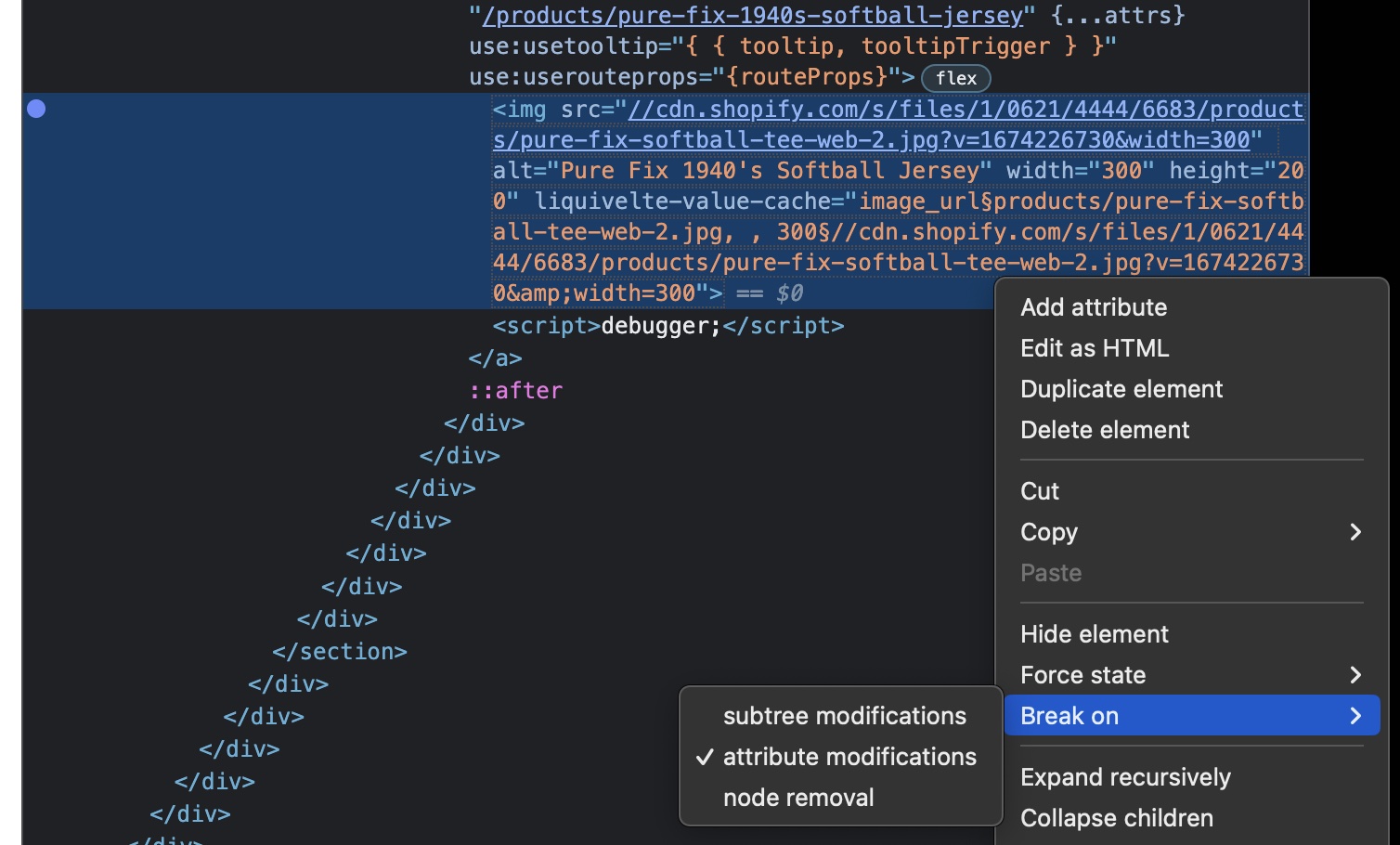
Indeed I found the function who replaces the node and adds a new one. It is a core svelte function called claim_element_base.
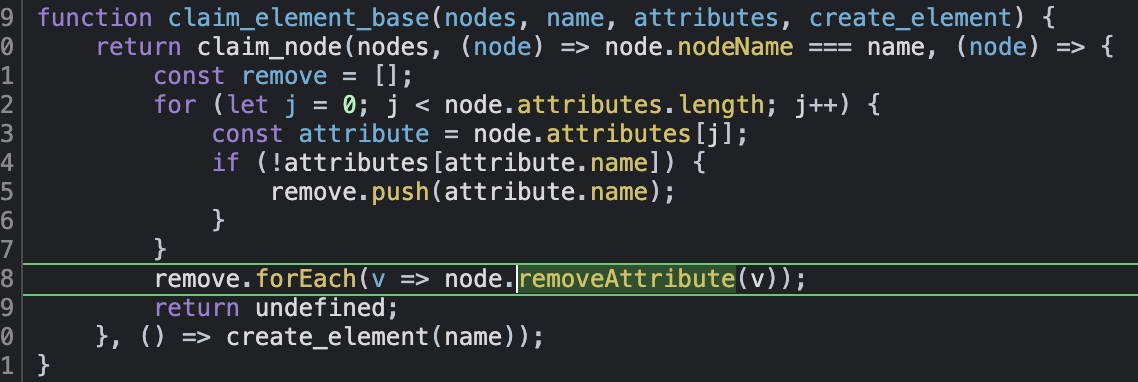
This function is checking if existing element has attributes of the svelte counterpart of that element. If it does not have an attribute it mark it for removal.
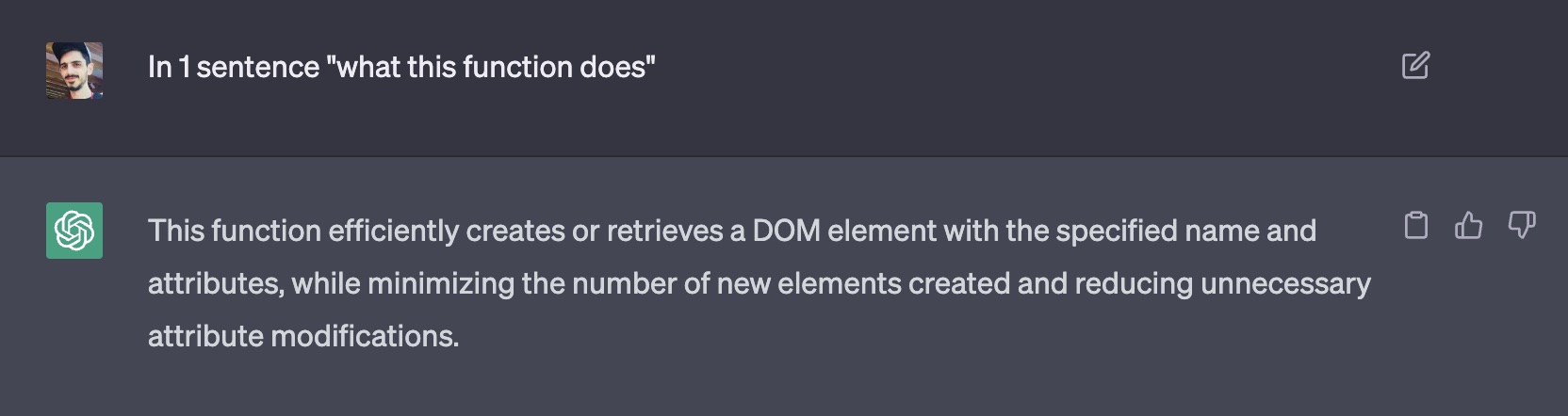
This is what gpt has to say about it:
Conclusion
At the end of the day answer to question of this article is; if you use props spreading in svelte, your elements will get destroyed and re-created when hydrating. I now converted the conversion logic to use attributes one by one and it works like a charm.
When there is a expression in liquid side with image tag I convert it to
<div>
  <img src="{liquid.image_url(product.images[0], {width: 300}), {} ) }" srcset="..." alt="..." />
</div>instead of prop spreading like this:
<div class="image-container">
  <img {...liquid.image_tag( liquid.image_url(product.images[0], {width: 300}), {} ) } />
</div>Outro
I am not someone with obsession to address layout shift issues. Layout shifts are unacceptable in todays more and more competitive web development industry. They are the one of best known UX spoilers and we should eliminate them at whichever cost I believe.
Doing so it more and more easy nowadays. With the death of IE and browser vendors adopting improvements faster than ever, you should at least ship code with
Related Topics
If you care I would suggest learning these concepts for a performance competitive or UX acceptable web page.